

It can drive more organic traffic, improve search visibility, and increase registration opportunities when the page matches user intent. For SSinvent, this means treating each landing page as both a search asset and a user decision page, with accurate details, useful content, and a clean technical setup.
Key Takeaways
- SEO for events helps search engines read, index, and display accurate details, including dates, times, locations, tickets, and registration information.
- A strong registration page should include clear copy, relevant keywords, structured data, local details, mobile usability, and simple sign-up paths.
- Supporting content such as blog posts, speaker pages, agenda previews, and recaps can increase visibility before and after the scheduled experience.
- Promotion should include relevant backlinks from speakers, sponsors, venues, industry sites, and local calendars.
- Performance tracking should separate pre-launch metrics from post-launch results to measure visibility, registrations, and the long-term value of content.
What Is Event SEO?
Event SEO is the process of improving online visibility for conferences, webinars, workshops, festivals, trade shows, and other scheduled experiences. It uses search engine optimization seo methods to help pages appear when people search for events related to a topic, city, brand, industry, or date. This process helps organizers connect useful information with potential attendees who are actively looking for it.
This work includes keyword research, page structure, schema markup, local signals, internal links, and clear registration paths. It also involves content that answers real questions before users decide to sign up, buy a ticket, or request more information. A complete page should make the next step clear without forcing users to search for basic details.
Why Search Visibility Matters
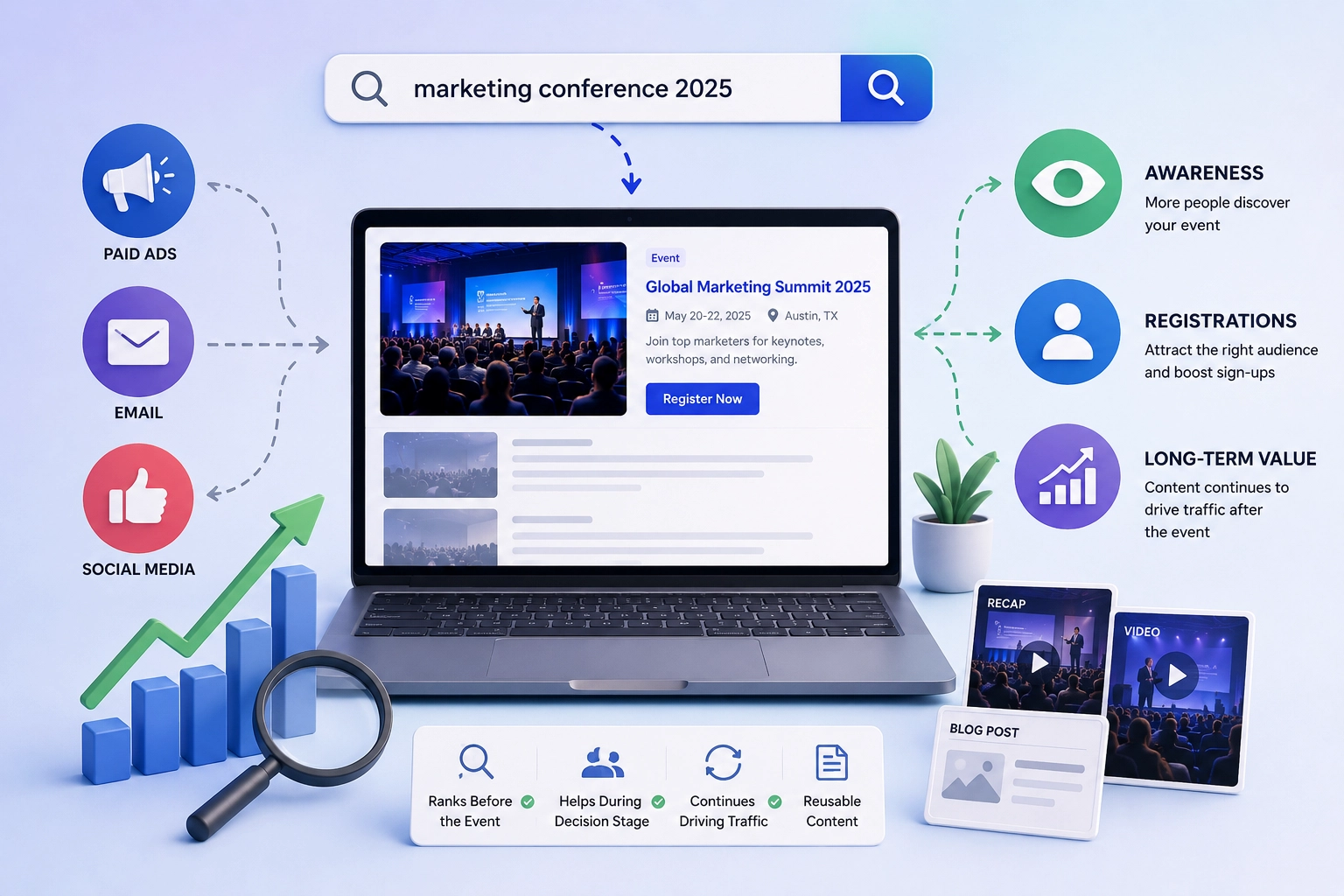
Many event marketers depend on paid ads, email, or social media to reach people. These channels can work, but organic search offers users another way to discover a conference, webinar, festival, or other scheduled experience when they are already showing interest through search behavior. This makes organic visibility useful for users who compare options, check dates, or look for activities in a specific location.
Strong search visibility can support awareness, registrations, and long-term content value. A well-built website can rank before the date, help users during the decision stage, and continue attracting traffic afterward through recaps, videos, or blog posts. This gives teams more ways to reuse content after the program ends.
8 Ways SEO for Events Improves Visibility
1. Helps Search Engines Understand Key Details
Clear page information helps search engines identify the topic, date, time, location, pricing, and registration details. Structured data and well-organized content make it easier for search systems to index the page accurately and present it to relevant users.
2. Connects Pages With Active Searchers
A strong search strategy reaches people who are already looking for conferences, webinars, workshops, festivals, or local activities. This allows organizers to appear during the discovery and decision stages when users are comparing options.
3. Targets Relevant Keywords
Keyword research helps identify the terms that the target audience uses when looking for similar experiences. Optimizing pages around relevant keywords improves the connection between user searches and available information.
4. Improves User Experience
Well-structured pages make it easier for visitors to find agendas, speakers, schedules, pricing, and registration links. A clear layout, fast loading speed, and mobile-friendly design can reduce confusion and improve navigation.
5. Supports Local Discovery
Local optimization helps physical gatherings appear for location-based searches. Including venue information, Google Business Profile details, directions, parking information, and nearby landmarks provides users with the context needed to plan their attendance.
6. Expands Traffic Through Supporting Content
Additional resources, such as blog posts, speaker interviews, agenda previews, guides, and post-event recaps, can reach users before and after the scheduled date. These pages create more opportunities to answer questions and improve organic visibility.
7. Builds Authority Through Backlinks
References from speakers, sponsors, industry websites, media outlets, and local directories provide additional signals that the page is relevant and trustworthy. These mentions can also introduce the experience to new audiences.
8. Measures Visibility and Registrations
Tracking data through Google Search Console and analytics platforms helps teams understand impressions, clicks, search rankings, engagement, and registration activity. Reviewing this information helps improve future content, promotion, and page optimization.
How to Optimize Registration Pages
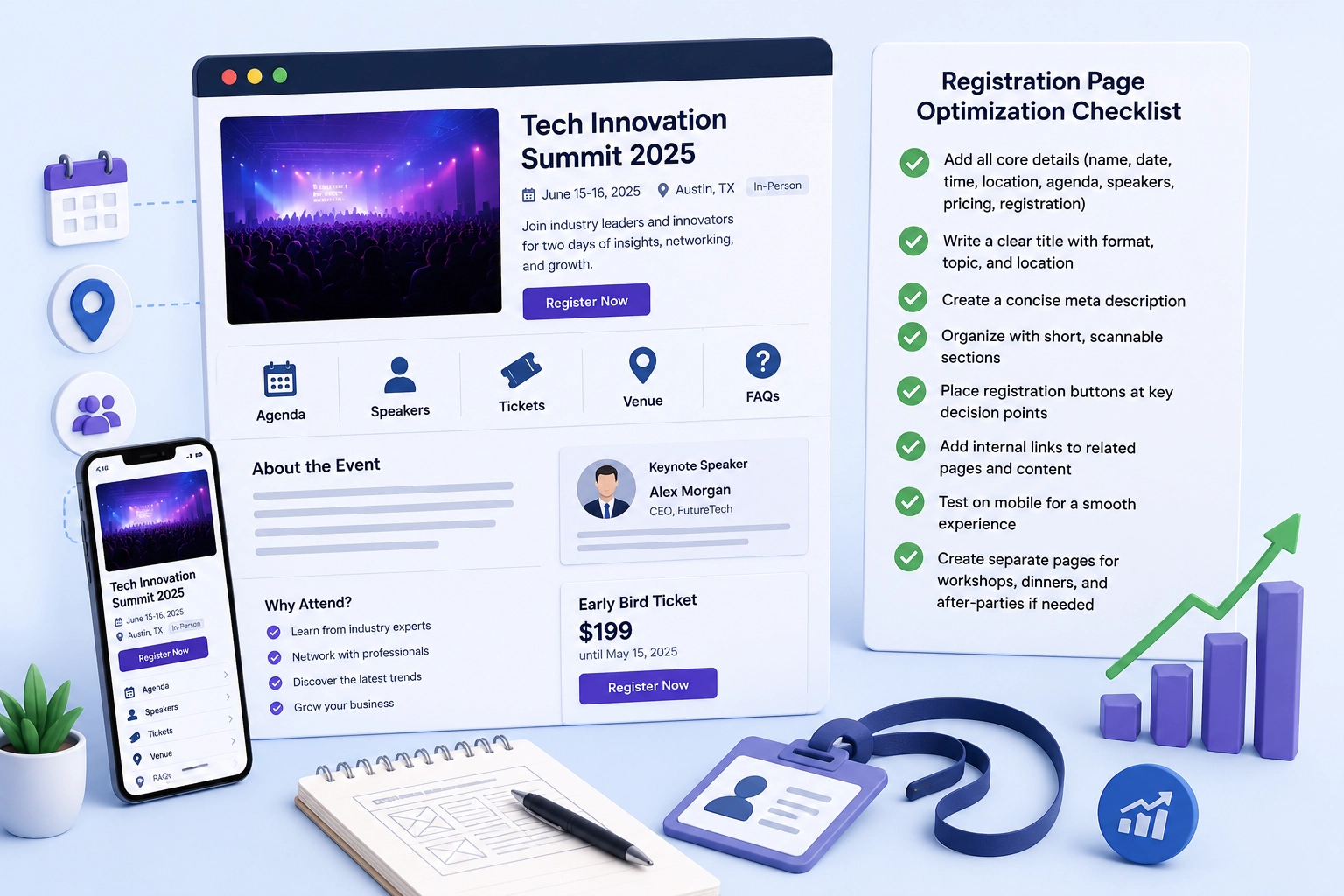
A strong landing page gives users and search engines a complete, organized answer. It should include the name, short description, topic, date, time, location, format, agenda, speakers, ticket details, and registration steps. These details help users decide whether the experience matches their schedule, interests, and needs.
Use this process to optimize the page:
- Add the core details first, including the name, date, time, location, format, agenda, speakers, pricing, and registration link.
- Write a clear title that includes the format, topic, and location when relevant.
- Create a concise meta description that explains the value, date, and next step.
- Organize the page with short sections for agenda, speakers, pricing, venue details, FAQs, and registration.
- Place the registration button near key decision points, such as after the introduction, after the agenda, and near the pricing section.
- Add internal links from related blog posts, speaker pages, service pages, or past recaps.
- Test the page on mobile to confirm that forms, buttons, menus, and pricing details are easy to use.
- Decide if the program needs separate pages for workshops, networking sessions, dinners, or after-parties.
Some programs need more than one page. A full conference may need one main registration page, plus separate pages for workshops, networking sessions, dinners, or after-parties. A separate page works best when the session has its own audience, schedule, speaker, pricing, or registration step.
Before You Publish Checklist
Before publishing, review the page for basic search and usability issues. Check the title, meta description, schema, mobile form, CTA placement, tracking setup, and internal links. This final review helps catch errors before users and search engines reach the page.
- Confirm the page title includes the topic and location when relevant.
- Write a meta description with the value, date, and next step.
- Test the registration form on desktop and mobile.
- Place CTA buttons near the introduction, agenda, and pricing.
- Validate structured data before launch.
- Confirm tracking in Google Search Console and analytics tools.
- Add internal links from related pages and blog posts.
Event Schema and Structured Data
Structured data helps search engines understand the page in a machine-readable format. Event schema can identify the name, start date, end date, venue, address, organizer, image, offers, and ticket availability. This markup should support visible content rather than add hidden or conflicting details.
Teams can publish structured information through a website plugin, a ticketing platform, manual schema markup, or a custom development setup. For example, a WordPress site may use a plugin, while a custom site may need JSON-LD markup added by a developer. The right option depends on the website, ticketing process, and internal workflow.
After adding the schema, teams should test it with Google’s rich results tools and monitor performance in Google Search Console. Check the name, date, time, location, offers, availability, image, and organizer fields. The markup should always match the same information that users can see on the page.
Practical Schema Example
For example, a conference page should use schema to identify the name, start date, end date, location, offers, availability, image, and organizer. These fields should match the visible page content, including the venue address, ticket status, and registration details. If the page says tickets are available, the markup should not show a sold-out status.
Local Visibility for In-Person Programs
Local visibility matters when the experience has a physical venue or a city-based audience. The page should include the city, neighborhood, venue name, address, parking details, transit options, and nearby landmarks when they help users plan attendance. These details help people compare location, access, and travel needs before registering.
Google Business Profile can support discovery if the organizer or venue has an active local presence. Consistent name, address, and phone information across the website, directories, and partner pages can help reduce confusion. Venue photos, map embeds, accessibility notes, nearby hotels, and reviews can also help users verify that the program is relevant and real.
Content Marketing for More Visibility
SEO and content marketing can help users discover the main page before they search for the exact title. Blog posts, speaker interviews, topic guides, agenda previews, and industry explainers can answer early-stage questions and connect readers to the main registration page.
Each supporting page should have a clear purpose, especially when using dynamic content and SEO, and a clear path back to the main page.
Multimedia can also help users understand the program faster. Useful assets include speaker videos, venue maps, agenda graphics, photo galleries, brochures, session previews, and short clips from past editions. After the date passes, recap content can extend search value and support future promotion.
Backlinks and Promotion
Backlinks help search engines evaluate how other sites reference a registration page. Useful sources may include speakers, sponsors, associations, media outlets, universities, venue pages, local calendars, and industry directories. These links should come from sources that relate to the topic, location, or audience.
Promotion should focus on relevance and accuracy, especially when tracking partnerships, referral traffic, and affiliate links SEO considerations. A link from a speaker bio, partner announcement, or official calendar can be more useful than a low-quality directory that lists unrelated listings.
Social media can also support discovery by distributing content, creating engagement, and driving branded searches later.
UX, Speed, and Mobile Optimization
User experience affects how easily visitors can understand the page and complete the next step. A registration page should load fast, work well on mobile devices, and present essential details without forcing users to search through long blocks of text. Clear layouts help users compare information quickly.
Mobile design is important because users often discover scheduled experiences via email, maps, search results, or social media on their phones, especially when technical setups such as Angular website SEO affect crawlability and rendering.
Registration forms should be short, readable, and simple to complete on smaller screens. Users should be able to find the agenda, speakers, pricing, location, and sign-up link without confusion.
How to Measure Organic Performance
Measurement helps teams understand whether their seo strategies support visibility and registrations. Common metrics include impressions, clicks, search rankings, organic sessions, registration starts, completed sign-ups, and assisted conversions. These numbers should be reviewed with the timeline in mind.
Pre-launch reporting should focus on visibility and registration behavior. Post-launch reporting should focus on recap traffic, branded searches, referral links, video views, newsletter sign-ups, and engagement with speaker or session pages. Google Search Console and analytics tools can connect organic visits to actions such as ticket purchases, form submissions, or newsletter sign-ups.
Event SEO Checklist
Use this checklist to review the core elements of an optimized registration page:
- Define the main topic, audience, and location.
- Research relevant keywords and search intent.
- Write clear titles and meta descriptions.
- Add complete event details to the page.
- Include agenda, speakers, pricing, and FAQs.
- Add the event schema and test it.
- Improve mobile speed and navigation.
- Link related content to the page.
- Build relevant backlinks from trusted sources.
- Track results in Google Search Console and analytics tools.
This checklist works best when teams treat it as a planning tool, not a one-time task. Search visibility often depends on how well the page, content, technical setup, and promotion work together. It also helps teams find missing details before users reach the page.