

SSinvent approaches this topic from the perspectives of technical SEO, content structure, and web development, with Rodrigo César and Christopher Cáceres treated as industry professionals focused on technical search visibility.
Key Takeaways
- Angular sites can be SEO-friendly when they serve crawlable HTML, unique metadata, structured data, and fast page experiences.
- Server-side rendering, prerendering, and route-level rendering choices help search engines access important content before relying on client-side JavaScript.
- Common Angular SEO issues include delayed rendering, duplicate metadata, routing problems, JavaScript errors, missing social previews, and blocked assets.
- On-page optimization should include clear titles, descriptions, canonical tags, structured data, SEO-friendly URLs, XML sitemaps, and correct robots directives.
- Testing in Google Search Console, Lighthouse, rendered HTML checks, and structured data tools helps confirm that Angular pages can be crawled, indexed, and evaluated correctly.
Is an Angular Website SEO Friendly?
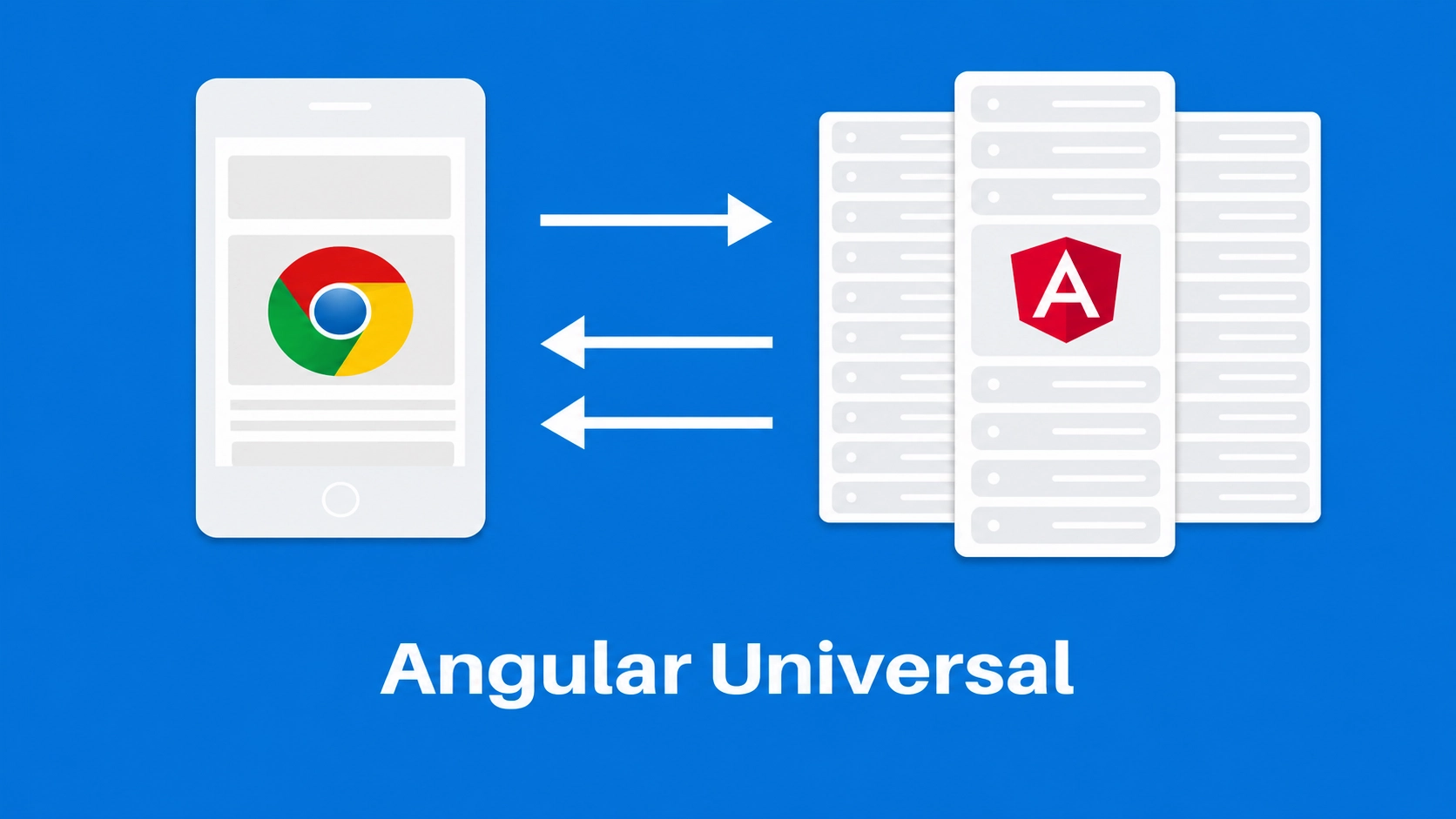
Angular can support Search Engine Optimization (SEO), but it needs the right setup. Because Angular often powers single-page applications, search engines may first receive an HTML shell before JavaScript loads the visible content.
This creates SEO challenges when important text, links, metadata, or schema appear too late, which is also why older discussions on AngularJS SEO often focus on rendering and crawlability.
A search-friendly setup gives crawlers access to the main page content as early as possible. Server rendering, prerendering, and clean metadata help search engines understand the page without waiting for client-side scripts to execute. This can significantly improve crawl efficiency and user experience.
Does Angular Support SEO?
Yes, when developers configure rendering, routing, metadata, and indexability correctly. The framework is not the problem by itself. The main issue is whether the application sends useful HTML, route-specific metadata, and crawlable links.
Does Google Still Use Angular?
Google still supports Angular as an open-source framework, and developers continue to use it for structured interfaces, dashboards, and content-driven platforms. The framework remains relevant, but search performance depends on implementation. A modern Angular build should use current SSR and pre-rendering practices rather than relying on older JavaScript indexing assumptions.
How to Make an Angular Website SEO Friendly
The core of angular seo best practices is simple: make the page easy to render, crawl, index, and evaluate. Developers can improve seo by choosing the right rendering method, assigning unique metadata, using structured data, and testing how the page appears to search engines.
The best setup depends on the page type, content freshness, whether the route should rank in search results, and whether the work fits into an ongoing monthly SEO retainer or a one-time technical project.
Use Server-Side Rendering
Server-side rendering creates HTML on the server before sending it to the browser. The required concept, server-side rendering (SSR), helps search engines render content without waiting for the full client-side app to load. Implementing server-side rendering is useful for public pages such as blog posts, service pages, product pages, and location pages.
Set Up SSR With @angular/ssr
Modern projects should use the current SSR setup when public pages need stronger search visibility. Since Angular 17, SSR and prerendering can be added via the Angular CLI with the @angular/ssr package. For an existing project, developers can usually start with:
ng add @angular/ssr
This setup can return useful HTML before the browser runs the full client-side app. It also supports faster load times when paired with caching, smaller bundles, and careful hydration. The main value is the search-friendly output, not the tool alone.
Use Prerendering When Needed
Prerendering creates static HTML for selected routes before users or crawlers request them. A pre-rendered page can load quickly because the core HTML already exists. This works well for stable pages like blog posts, documentation, landing pages, and evergreen service content.
Choose Rendering by Route Type
Not every Angular route needs the same rendering method. Use SSR for dynamic public pages, prerendering for stable public pages, and client-side rendering for private dashboards or logged-in tools. This route-level choice helps teams focus technical work where search engines need access.
Common Angular SEO Problems
Angular SEO problems often come from delayed rendering, weak metadata, duplicate routes, JavaScript errors, or blocked assets. A page may look fine to users but still appear thin or incomplete to crawlers. Technical testing helps catch these issues before they affect indexability.
Client-Side Rendering Issues
Client-side rendering means the browser builds the page after JavaScript loads. This can delay headings, body copy, internal links, and metadata. Important search pages should not rely solely on late client-side rendering.
Dynamic Metadata Problems
Angular routes need unique titles, descriptions, canonical tags, and Open Graph metadata. If every route shares the same metadata, search engines receive weak page-level signals. Angular’s meta service can manage route-specific fields when configured correctly.
JavaScript Errors and Timeouts
JavaScript errors can stop important content from rendering. Timeouts can also prevent crawlers from seeing delayed content, heavy scripts, or slow API-driven sections. Important page content should have a reliable rendering path.
On-Page Angular SEO Optimization
On-page optimization helps search engines classify each route. Titles, descriptions, canonicals, structured data, headings, and internal links should match the visible page content. Effective optimization uses clear signals rather than keyword stuffing.
Optimize Titles and Descriptions
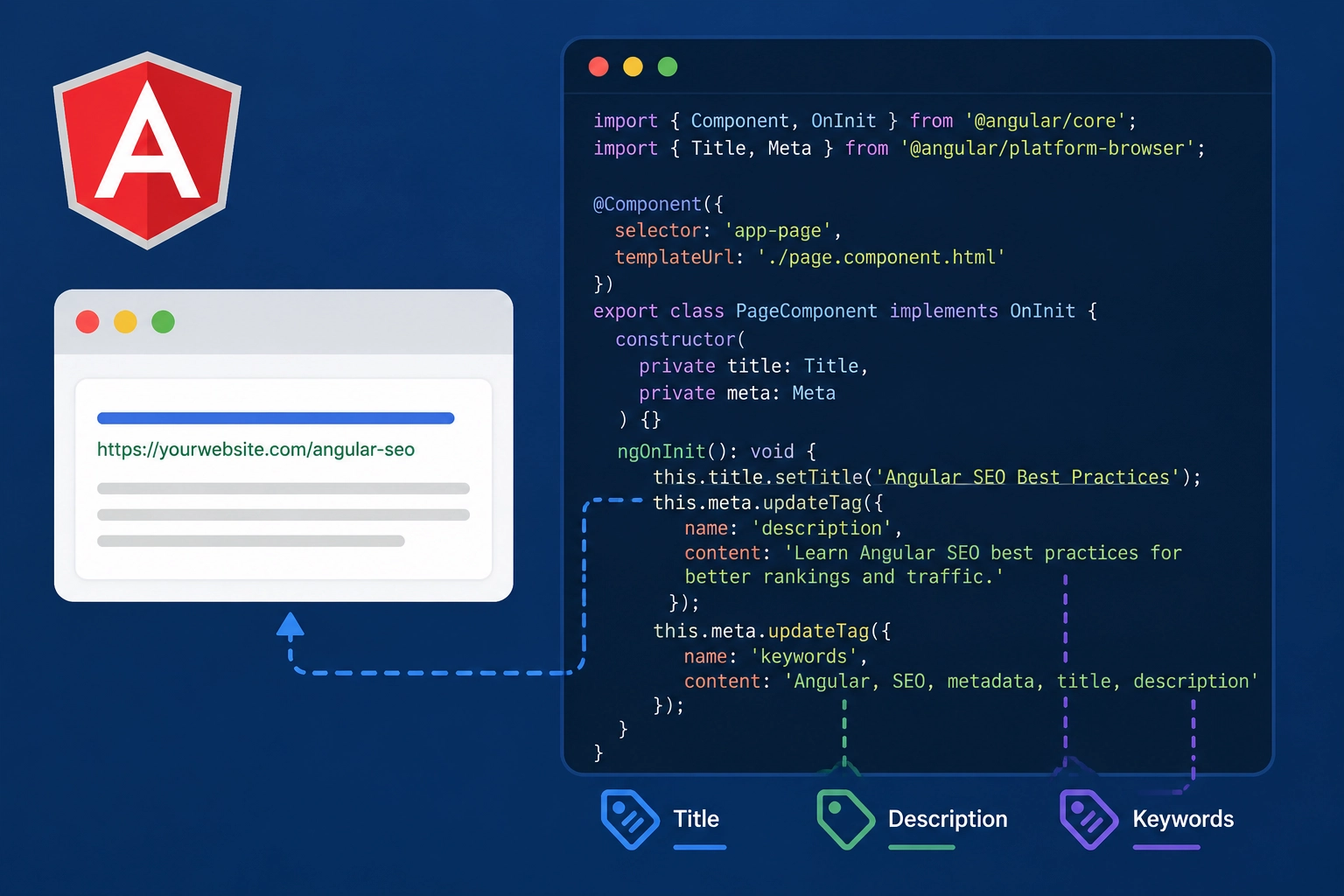
Each indexable route should have a unique title and description. These fields should summarize the page topic accurately and match the content users see. In Angular, this often happens within a component that handles route-level logic:
import { Component, OnInit } from ‘@angular/core’;
import { Title, Meta } from ‘@angular/platform-browser’;
This code reflects the practical meaning of import component and import meta from the Angular platform browser. A complete setup may include an export class, implementing the OnInit constructor, private, and metadata updates for description fields.
It can also include examples like property of title, content, and keyword content, and Angular SEO within real metadata logic.
Add Canonical Tags
Canonical tags tell search engines which URL is the preferred version of a page. This matters when Angular routes create duplicate or near-duplicate URLs. Canonicals should match internal links and XML sitemap URLs.
Use Structured Data
Structured data helps search engines understand page types, entities, and relationships. Angular pages can use JSON-LD for articles, products, FAQs, breadcrumbs, organizations, or local business content. The schema should describe only what users can see on the page.
Improve Crawlability, Indexing, and UX
Crawlability means search engines can find and access your pages. Indexing means they can process those pages and consider them for search results. Angular sites need clean internal links, readable URLs, valid sitemaps, correct robots directives, and strong performance.
Create SEO-Friendly URLs
URLs should be short, readable, and stable. Avoid unnecessary parameters, unclear route fragments, and duplicate paths. A clear route like /angular-seo-checklist is easier to understand than a long dynamic URL.
Review Sitemaps and Robots Directives
XML sitemaps should include only important public routes. Robots.txt and meta robots tags should not block files needed to render visible content. Staging noindex tags should also be removed before launch.
Improve Core Web Vitals
Performance affects both users and search evaluation. Large JavaScript bundles, uncompressed images, and render-blocking scripts can slow the first page view. Better Core Web Vitals support usability, crawl efficiency, and page quality.
Test Your Angular SEO Setup
Testing confirms whether the technical setup works in real search conditions, and structured SEO experimentation can help teams compare changes before applying them across important templates.
Teams should inspect rendered HTML, metadata, canonical tags, schema, internal links, sitemap status, robots directives, and mobile performance. A page should show its main content and signals without relying on fragile late-loading scripts.
Useful tools include:
- Google Search Console
- URL Inspection Tool
- Lighthouse
- Rich Results Test
- Browser rendered HTML checks
- Screaming Frog or Sitebulb
- Chrome DevTools
Check Rendered HTML
Rendered HTML shows what search engines may see after processing the page. Check that the main heading, body content, links, metadata, canonical tag, schema, and loading speed signals appear correctly. If important elements are missing, SSR, prerendering, or hydration may need to be adjusted.
Avoid Common Angular SEO Mistakes
A practical checklist helps teams avoid missed steps during development and launch. Before publishing, confirm that important routes return useful HTML, unique metadata, canonicals, schema, sitemap entries, robots settings, internal links, acceptable Core Web Vitals, and Open Graph fields such as property: ‘og:title’ and content.
After launch, monitor indexing, crawl errors, organic query data, and template changes that may affect performance, especially when using SEO data science to identify patterns across large groups of pages.
Angular SEO Examples and Checklist
A practical checklist helps teams avoid missed steps during development and launch. Before publishing, confirm that important routes return useful HTML, unique metadata, canonicals, schema, sitemap entries, robots settings, internal links, acceptable Core Web Vitals, and Open Graph fields such as property: ‘og:title’ and content.
Use this short checklist:
- Confirm public routes return useful HTML.
- Check unique titles and descriptions.
- Verify canonicals, schema, sitemap, and robots directives.
- Test rendered HTML, internal links, and loading speed.
- Monitor indexing, crawl errors, and organic query data after launch.
If your Angular site needs clearer technical SEO, stronger crawlability, or a cleaner search-friendly setup, SSinvent can help review the structure and identify practical next steps.
Schedule a consultation to evaluate your Angular SEO setup and improve how your pages are discovered, rendered, and understood by search engines.