

A strong file label helps Google understand a visual, but it works best with alternative text, page context, captions, quality, and speed. SSinvent treats file naming as one part of a broader search engine optimization and image optimization process. Rodrigo César and Christopher Cáceres can review the final technical recommendations for accuracy before publication.
Key Takeaways
- File labels can help search engines understand a visual, but they are only a light signal.
- The best SEO picture names are short, descriptive, accurate, and separated with hyphens.
- Use relevant keywords only when they match the visual content, and avoid keyword-stuffed labels.
- Strong image optimization also depends on alt text, captions, page context, visual quality, speed, and technical setup.
- Rename visual assets before uploading when possible, since changing live URLs can create broken paths or technical issues.
Do File Labels Affect Search Visibility?
Descriptive labels can help search engines understand visual content, but they are not a shortcut to ranking. Google also describes file names as very light clues, so they should support the page topic without being treated as the main ranking factor.
A clear label works best when the page also has useful content, a strong user experience, and a proper technical setup. If the page has thin content, a better file label alone will not make the page more useful or complete.

Naming Images for SEO
This process starts with describing the actual visual. Use short, clear labels that match what users can see, such as technical-seo-audit-chart.png instead of chart-final.png. This makes the file easier to understand for search engines, editors, and anyone managing the media library.
Use Clear, Relevant Names
A good label should describe the visual without forcing extra terms. Add relevant keywords only when they make the name more accurate. A file name like google-image-search-traffic-chart.png works because it explains what the chart shows.
Use Hyphens and Short Phrases
Separate words with hyphens because they make labels easier to read. Keep names short, usually three to six words when possible. Use lowercase letters when possible to keep file paths consistent and easier to manage. Avoid spaces, underscores, and sentence-like labels.
Avoid Keyword Stuffing
Avoid keyword stuffing in file names, alt text, and the alt tag. A label like image-seo-image-optimization-best-ranking.jpg looks unnatural and does not help users. A useful name should be accurate before it is optimized.
SEO Picture Names: Examples
Examples make the process easier to apply. Strong SEO picture names describe the visible subject, while weak names are vague, generic, or over-optimized. Use the same logic for blog graphics, product photos, local service visuals, screenshots, and charts.
For example, a screenshot of a WordPress alt text field should not be named seo-ranking-keywords.png. A clearer label would be wordpress-alt-text-field.png because it describes the actual visual. This keeps the file useful for users, editors, and search engines.
Visual Optimization Best Practices
Good visual optimization goes beyond file labels. Use a crawlable source, the right format, compressed size, and clear placement near relevant text. For important visuals, use standard HTML elements rather than relying solely on CSS background images.
Alt Text and Accessibility
Alt text should describe the visual for users and search engines. A good text alternative helps visually impaired users who rely on a screen reader. The goal is to make the page more user-friendly, not to repeat the same keyword across every asset.
Captions and Page Context
Captions help when a visual needs extra explanation. Surrounding text also helps Google connect that asset to the page topic. Place each one near the section it supports so the meaning is clear.
Technical Setup
Use supported formats such as JPG, PNG, WebP, SVG, or AVIF when appropriate. Compress files before upload so they do not slow the page. For larger sites, an XML sitemap for visual URLs can help search engines discover important assets.
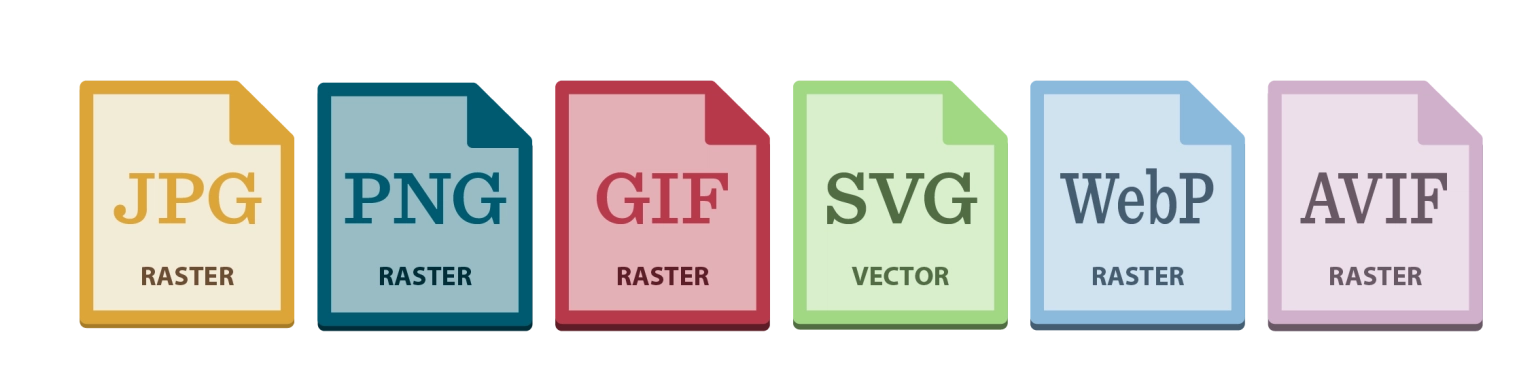
Image SEO Optimization Tools
A tool can help find missing alt text, generic labels, oversized files, and inconsistent metadata. Tools are useful for audits, but they cannot replace human review. Before making bulk edits, check whether changes could break existing URLs.
WordPress Workflow
For WordPress, rename files before uploading them to the media library. Then add clear alt text, confirm the title when needed, compress the file, and place it near relevant copy. This starter-guide-style workflow reduces cleanup later and helps you consistently optimize your images for SEO across the site.
Should You Rename Existing Files?
Renaming existing visual assets can help when files use vague labels like IMG_4721.jpg or screenshot.png. It may not be worth it when an asset already has a stable URL, traffic, or backlinks. In many cases, improving alt text, captions, and surrounding content is safer than changing live paths.
Before Uploading a Visual Asset
Before uploading, check the file label, format, size, alt text, and placement. The name is the descriptive part before the extension, such as red-running-shoes. The extension, such as .jpg or .webp, identifies the file format.
It should be short, descriptive, hyphenated, SEO friendly, and matched to the visible subject. This simple process supports optimizing image assets without creating technical issues later.
Frequently Asked Questions