

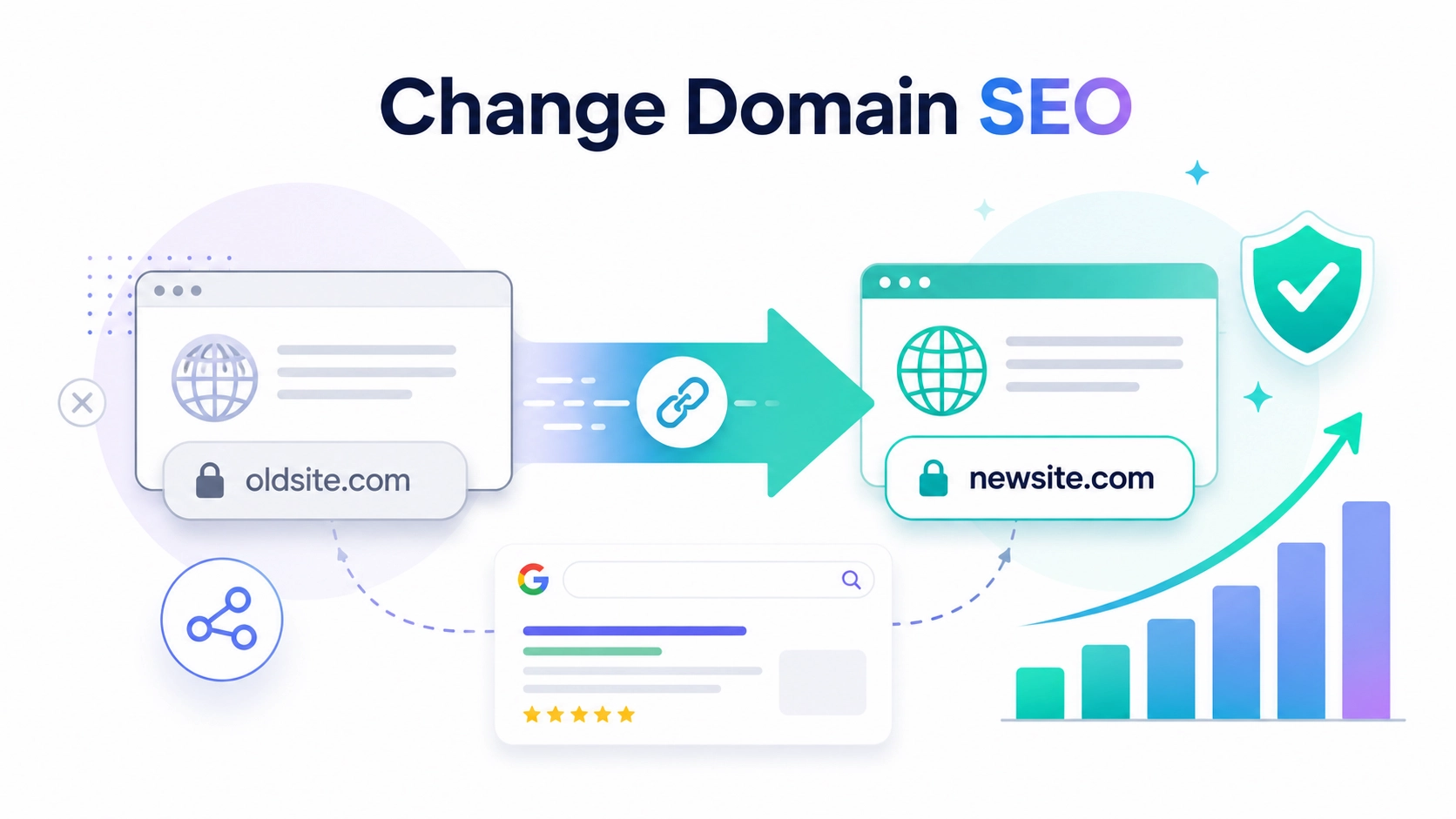
You should also verify both properties in Google Search Console, use the Change of Address tool to inform Google, submit new XML sitemaps, and keep the old address active so that redirects continue to work.
SSinvent, led by Rodrigo César and Christopher Cáceres, specializes in technical search, content, backlinks, and web development, all of which are relevant to domain migrations. A careful process helps protect link equity, user access, and search visibility.
Key Takeaways
- Changing a site’s web address can affect rankings and traffic because search engines must recrawl, reindex, and reassess the new URLs.
- A safe migration starts with an audit of top pages, indexed URLs, backlinks, analytics data, and the new address’s history.
- Each important old URL should redirect to the closest matching new URL with a 301 redirect, not to the homepage.
- Google Search Console, XML sitemaps, internal links, canonicals, tracking tools, and external profiles should all be updated after launch.
- Post-launch monitoring helps catch 404 errors, indexing issues, traffic drops, redirect problems, and missed backlink updates.
Does Changing a Domain Name Affect SEO?
Yes, changing a web address can affect organic visibility, especially during the first weeks after launch. Google must process the old URLs, follow redirects, evaluate the new URLs, and update search results. The impact depends on the quality of redirects, content consistency, backlink strength, and crawl speed.
Changing Domain Name SEO Impact
The main risk is breaking the connection between old pages and new pages. If redirects are missing, weak, or unrelated, the new site may lose rankings, traffic, and link equity. A clean migration helps users and search engines understand that the site moved, not that the old pages disappeared.
How Rankings and Traffic Can Change
Traffic can drop when crawlers find 404 errors, redirect chains, soft 404s, blocked pages, or missing content. Rankings can also shift if titles, headings, copy, internal links, or page intent change during the move. Some movement is normal, but large drops often point to preventable SEO issues.
Should You Move to a New Web Address?
A site move should solve a clear problem. It may make sense when the current name no longer fits the brand, has legal risk, limits growth, or creates confusion for users. It may not make sense if the current address already has strong rankings, clean backlinks, brand recognition, and no technical limits.
Before moving, compare the expected benefit with the risk. Review organic traffic, indexed pages, conversions, branded search demand, and the backlink profile. If the change does not support a clear business or technical need, keeping the current address may be safer.
Step 1: Audit Your Search Assets
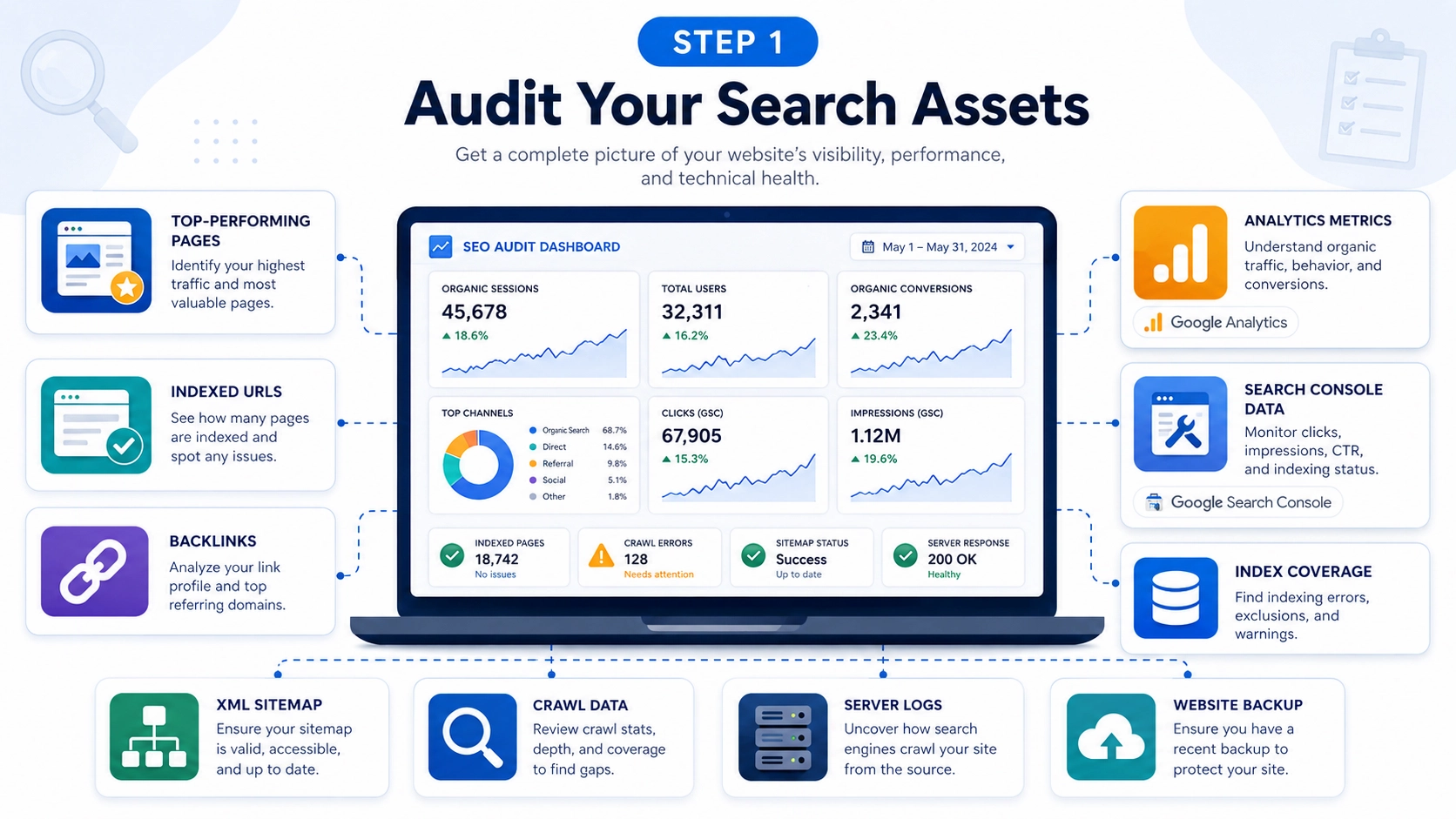
A migration should start with a full review of the current site. Use Google Analytics to identify pages with organic sessions, conversions, engagement, and revenue. Review at least the last 6 to 12 months, so seasonal pages are not missed.
Review Key Pages and URLs
Export indexed URLs from Google Search Console, crawl tools, sitemaps, and server data. Compare these sources to find pages that may not appear in one report alone. Mark pages that drive traffic, leads, sales, backlinks, or branded visibility as high-priority migration assets.
Useful sources include:
- Organic landing pages
- Conversion paths
- Google Search Console performance data
- XML sitemap exports
- Crawl tool URL lists
- Server log data when available
Review Backlinks and Backups
Review the backlink profile before the migration begins. Backlinks from high-quality and relevant websites can pass authority to important pages. If these pages break or redirect poorly, the site may lose part of that value.
Create a full backup of files, databases, media, redirects, and tracking settings. A backup gives the team a safe recovery point if something breaks during launch. It also helps compare old and new versions of key pages.
Step 2: Check the New Address
The new address should support the brand, technical setup, and long-term online presence. Review whether it was used before, what content it hosted, and whether it has spam signals. Past abuse, toxic links, or unrelated content can create risk before launch.
The new name should also match the brand, service focus, and user expectations. A clear address can help people recognize the business in search, email, and social profiles. Keep it simple enough for users to remember and type correctly.
Step 3: Map Old URLs
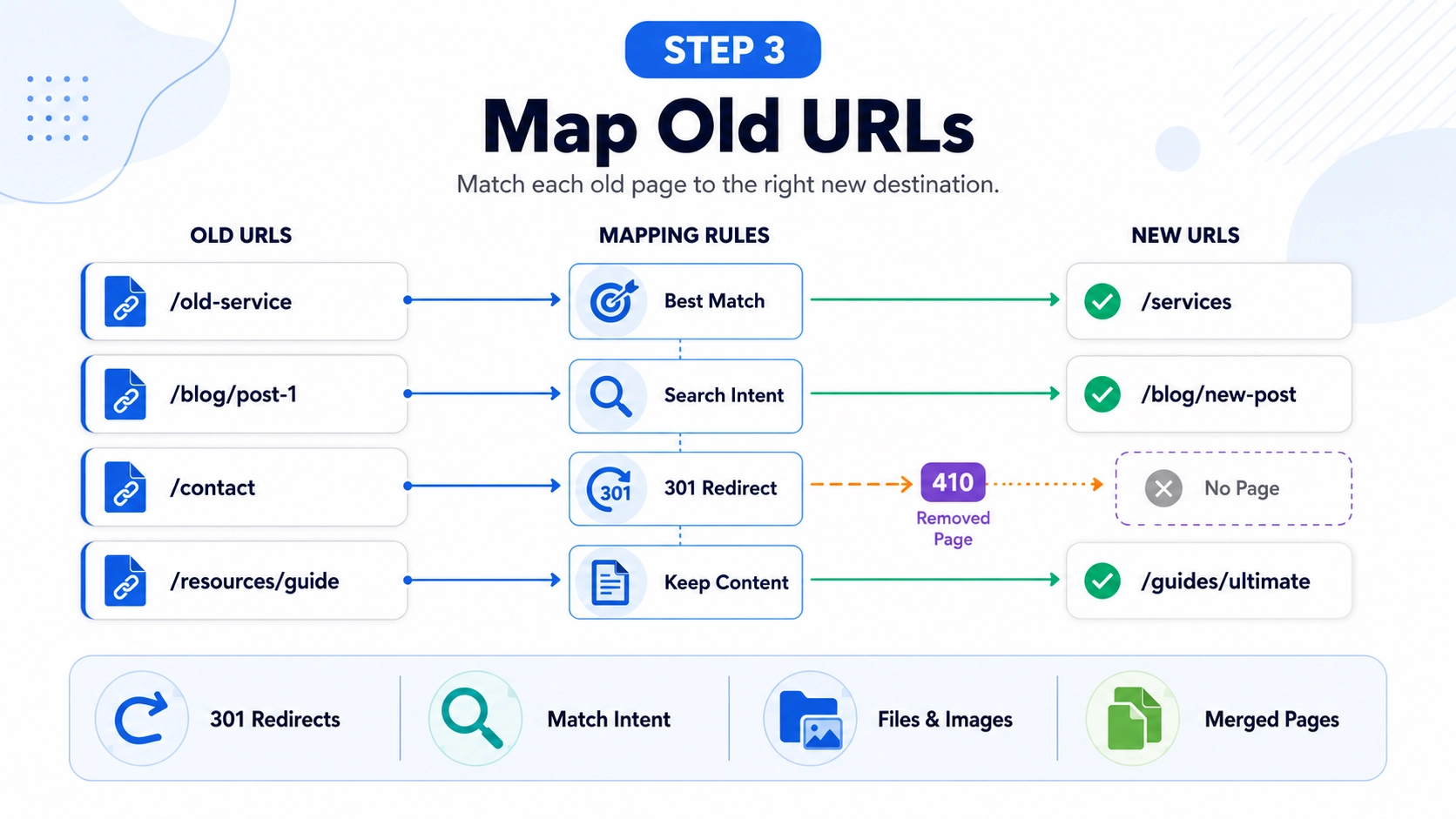
URL mapping connects each important old page to the right new page. Create a spreadsheet that pairs every old URL with its new URL, redirect type, and reason for the match. The best destination is usually the same page, the same topic, or the closest equivalent page.
For image-heavy pages, review image filename SEO before launch so important visual assets stay clear, crawlable, and aligned with the new URL structure.
Match Pages by Search Intent
Do not redirect every page to the homepage. Redirect each page to a new page that answers the same query or serves the same purpose. This protects relevance and gives users a better experience.
Preserve Keyword Relevance
Important pages should keep the same core topic after the move. Review title tags, H1 headings, body copy, internal links, and anchor text before changing them. If the page ranked for a specific query, the new version should still answer that same query clearly.
Plan Removed or Merged Pages
Not every old URL needs a new equivalent page. If a page has no traffic, no backlinks, and no useful replacement, a 404 or 410 status may be better. If several pages merge into one stronger page, redirect each old URL to the most relevant new destination.
Step 4: Set Up 301 Redirects
Redirects help search engines and visitors move from the old address to the new one, which is why domain forwarding SEO matters during a permanent site move.
A 301 redirect tells crawlers that the move is permanent. Page-level redirects are usually the safest option because they send each old URL to the closest matching new URL.
Avoid Homepage-Only Redirects
Homepage-only redirects create a poor path for visitors and crawlers. Someone who expects a blog post, service page, or file should not land on a generic homepage. If a page had traffic, backlinks, or ranking value, it needs a closer destination.
Test Redirects Before Launch
Test redirects before the new site goes live. Check for 404 errors, redirect chains, loops, incorrect destinations, and missing subdomain redirects. A short test phase can prevent larger problems after launch.
Step 5: Update Technical Signals
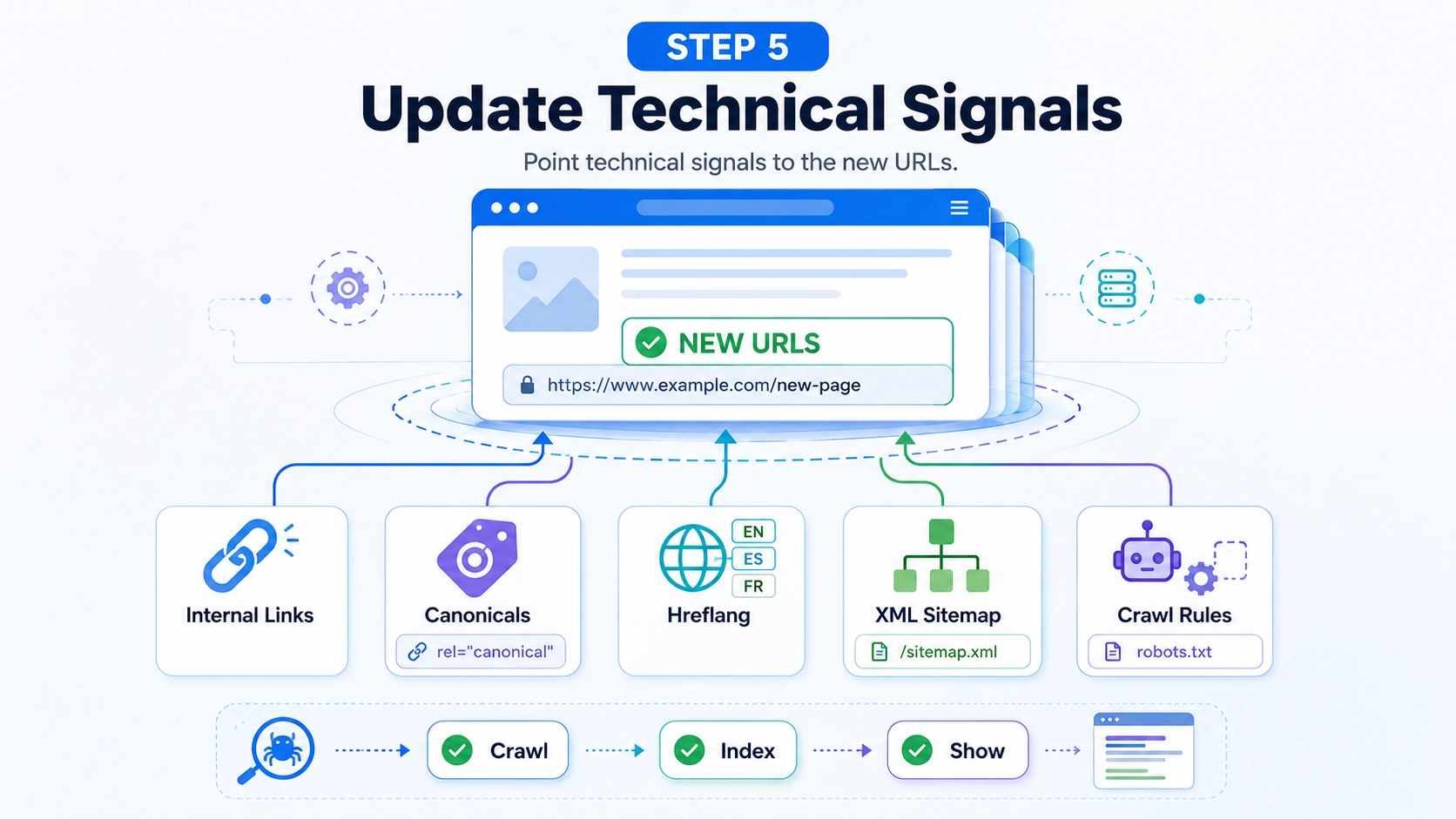
Technical signals must point clearly to the new URLs. Update internal links, canonicals, hreflang tags, XML sitemaps, and crawl rules. These elements help search engines understand which pages should be crawled, indexed, and shown.
Check Indexing Rules
Remove the temporary noindex rules used on staging pages. Review the robots.txt file to ensure important pages, scripts, images, and CSS files are not blocked, and check whether alt text helps SEO on key image assets. A blocked or noindexed launch can stop important pages from appearing in search results.
Submit New XML Sitemaps
Create XML sitemaps with the final new URLs. Submit them through Google Search Console so Google can find the new structure faster. Keep the sitemap clean, up to date, and limited to indexable pages.
Step 6: Use Search Console
Search Console helps site owners support a web address move. It does not replace redirects, but it gives Google clearer migration signals. Use it only after the new property has been verified, is crawlable, and is connected to working redirects.
Use the Change of Address Tool
Verify both the old and new properties in Google Search Console. Confirm that 301 redirects are active, then submit the new XML sitemap. After that, use the Change of Address tool to inform Google about the move.
Monitor indexing changes after launch. Some old URLs may remain visible while Google processes the migration. The goal is steady replacement of old URLs with new URLs, not instant perfection.
Step 7: Protect Backlinks and Authority
Backlinks can support authority, discovery, and referral traffic. Redirects help preserve value, but direct link updates are better when possible. Contact owners of important linking pages and ask them to update their links to the new URL.
Update External Signals
Update business directories, social profiles, partner pages, author bios, and industry listings. These profiles help users and search engines connect the new address with the same business. Consistent external signals also support trust during the transition.
Find Branded Mentions
Search for old brand mentions that still point to the previous address. These can appear in interviews, directories, guest posts, podcasts, and press mentions. Prioritize mentions that include links, traffic value, or strong topical relevance.
You can use a search operator like:
“Old Brand Name” -site:newdomain.com
Keep the old address active long term so redirects continue to work. If it expires, redirects stop, and users may reach an error page or an unrelated website. Long-term ownership protects traffic, backlinks, and reputation.
Step 8: Update Analytics and Tracking
Tracking tools must reflect the new address after launch. Review Google Analytics settings, referral exclusions, events, and conversion paths. Update Google Tag Manager if tags, triggers, or variables reference the old address.
Test form submissions, phone clicks, purchases, lead events, and thank-you pages. A migration can break tracking even when the website looks fine to users. Accurate data helps separate normal movement from technical problems.
Step 9: Track Performance
Post-launch monitoring helps teams find and fix problems quickly. Track organic sessions, impressions, clicks, keyword positions, crawl errors, and URL-level performance. Compare results by page group because a sitewide average can hide problems in important sections.
Follow a Post-Launch Timeline
During the first 48 hours, check redirects, forms, tracking, 404 errors, and indexable pages. During the first two weeks, review crawl errors, indexing changes, rankings, and organic traffic by page group. During the first 30 to 90 days, compare the performance of the old and new URLs, update any missed backlinks, and document recovery patterns.
Fix 404 Errors and Crawl Issues
Review 404 errors in crawl tools and Search Console. Some errors are harmless, but broken URLs with traffic or backlinks need attention. Add or correct redirects when the missing page has value.
Run crawls after launch to find redirect chains, broken links, missing tags, duplicate titles, blocked pages, and server errors. Slow pages, 5xx errors, and timeout issues can delay migration processing. Repeat the crawl after fixes are applied.
Common Migration Mistakes
Most migration problems come from rushed execution or incomplete checks. The most common mistakes include changing key pages during the move, redirecting too many URLs to the homepage, stopping redirects too soon, and ignoring analytics setup. These problems make traffic drops harder to diagnose and recovery harder to measure.
Keep valuable pages stable until the new address settles. Redirects should remain active for as long as possible because old links may persist on websites, in emails, in documents, and in bookmarks for years. Analytics checks should also be part of the launch plan, not a task for later.