Key Takeaways
- Reused page summaries do not cause a direct Google penalty, but they can make snippets less clear and reduce click-through rate.
- Common causes include CMS templates, product variants, filtered URLs, pagination, and copied page versions.
- Key indexable pages should have unique summaries that match the page’s search intent and content.
- Use site audit tools and Google Search Console to identify duplicate content, and focus on pages with search visibility.
- Some repeated summaries are fine when pages are noindexed, canonicalized, or not meant to rank on their own.
Do Duplicate Meta Descriptions Hurt SEO?
Repeated summaries do not usually cause a direct penalty. The main problem is that copied snippets can confuse users.
They can also appear with duplicate meta tags or duplicate meta titles. This can make service pages, product pages, and category pages hard to tell apart.
Why Pages Have Duplicate Meta Descriptions
Most repeated summaries come from templates, reused page types, or weak alignment between
SEO and content marketing. A CMS may add the same text to blogs, services, archives, or category pages.
Online stores often create many URLs for product options, filters, and pages. These URLs may reuse one summary, even when users search by size, color, brand, price, or product type.
How to Find Duplicate Meta Descriptions
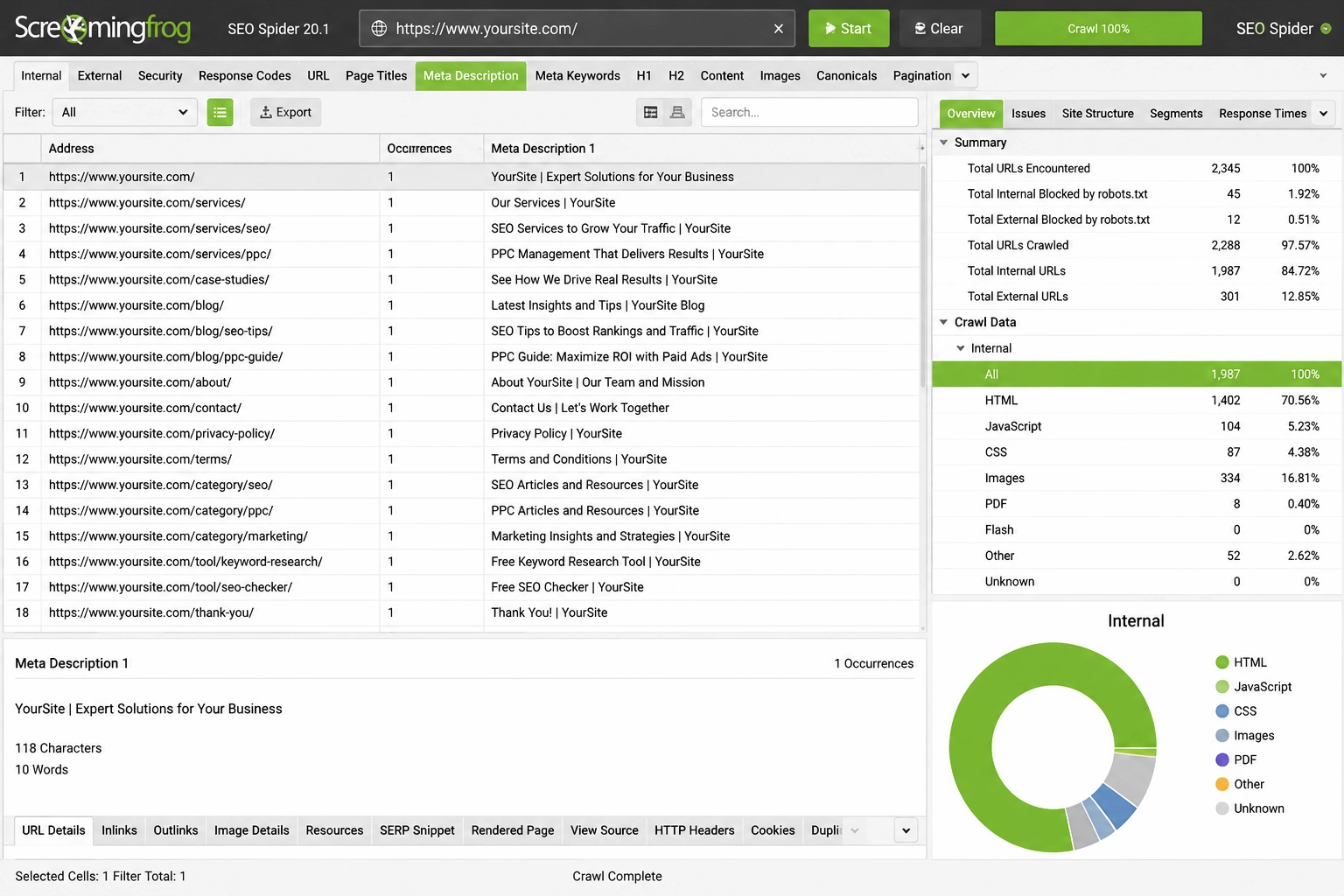
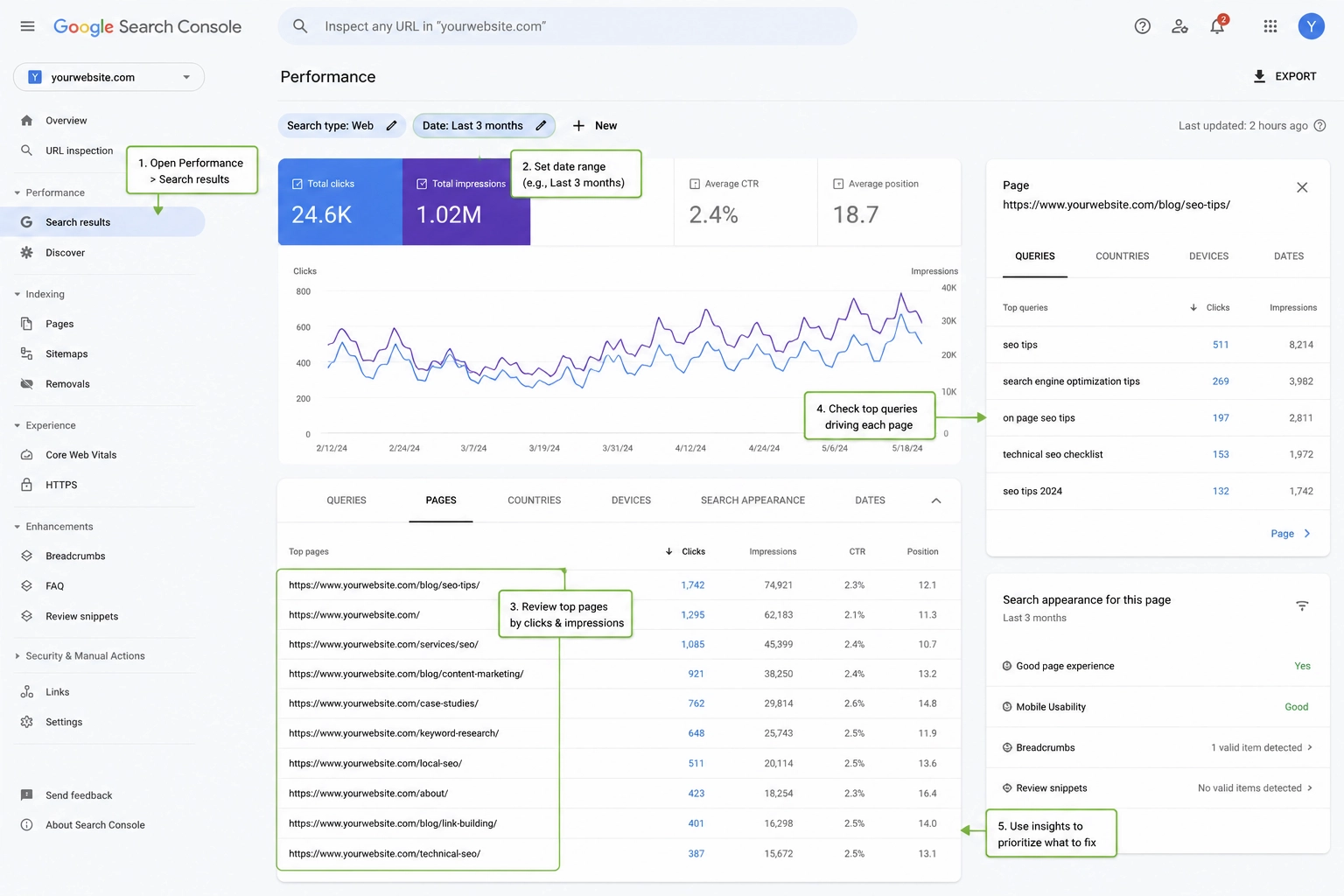
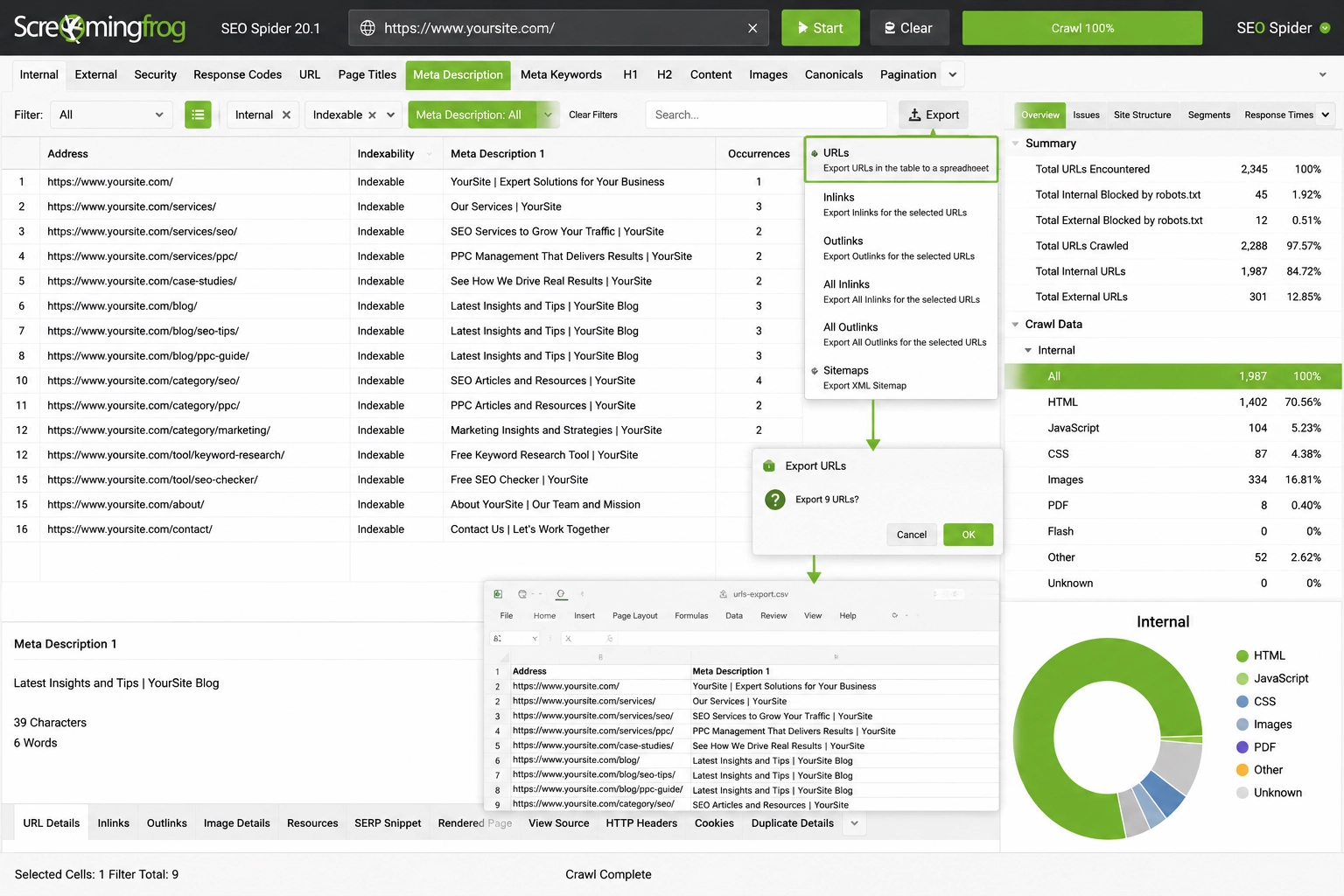
Crawl the Full Site
Use Screaming Frog, Sitebulb, Semrush, or Ahrefs to scan your site.
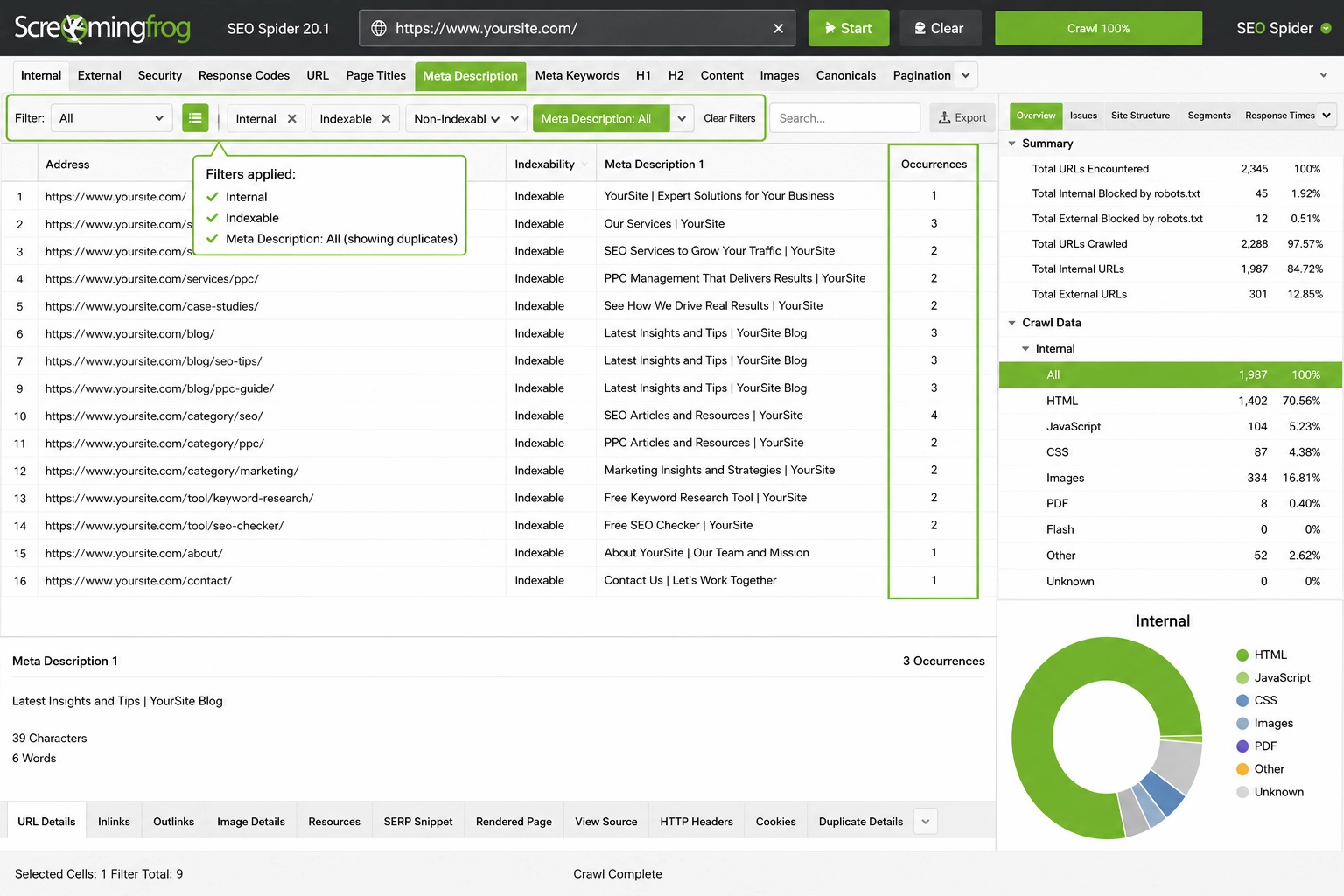
Filter Indexable URLs
Filter the report to show internal, indexable URLs with repeated page summaries.
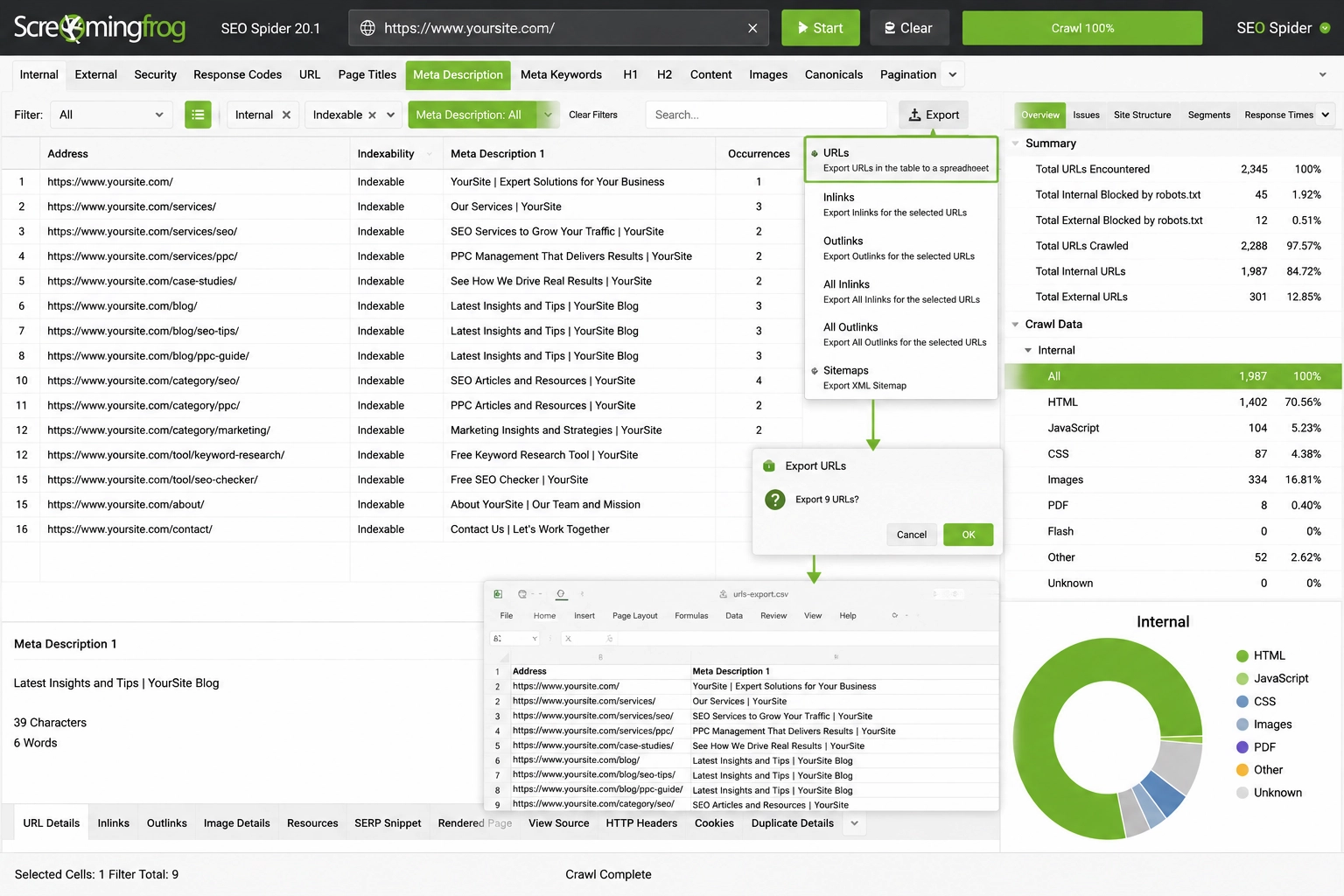
Export Affected URLs
Export the affected URLs to review them outside the crawl tool.
Group URLs by Page Type
Review service pages, product pages, category pages, blog posts, and location pages as separate groups.
Prioritize With Search Console
Use Google Search Console to choose what to fix first.
Focus on Valuable Pages
Start with pages that have impressions, clicks, active search visibility, and clear business value. You can also review the
click-through rate to decide which pages need new summaries first.
How to Fix Duplicate Meta Descriptions
Rewrite Priority Pages First
Each key page should have a clear summary that matches its search intent, topic, product, service, or location.
Use Dynamic Templates
For large sites, use dynamic templates that pull unique details from the CMS. A product template can include product name, category, brand, size, color, or SKU.
Add Location or Page Details
A location page can include service, city, and page purpose. These details help each page feel distinct.
Use Canonicals or Redirects
If two URLs serve the same goal, new metadata may not fix the issue. Use canonical tags or redirects so that duplicate versions point to a single main page.
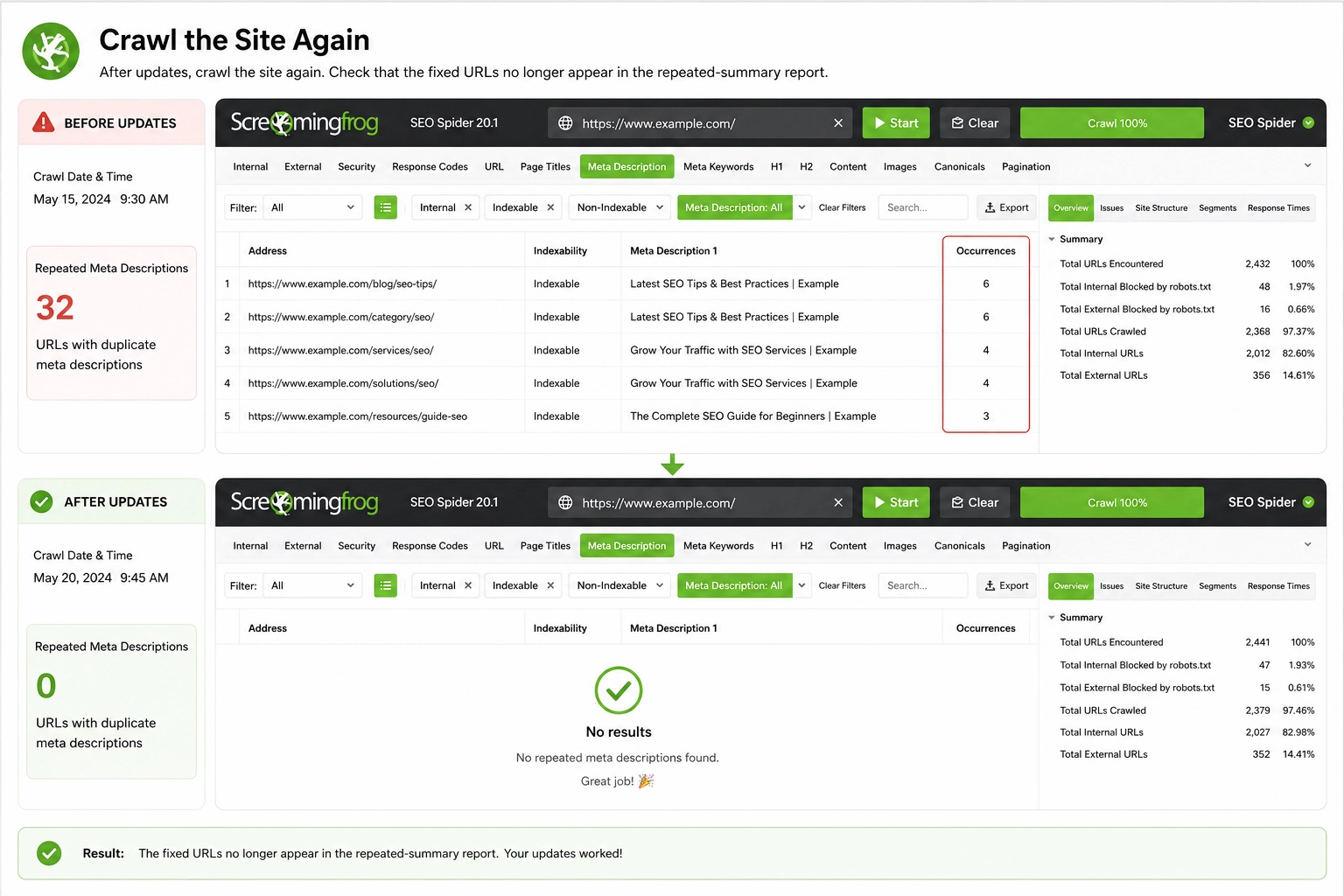
Crawl the Site Again
After updates, crawl the site again. Check that the fixed URLs no longer appear in the repeated-summary report.
Track Results in Search Console
Use Google Search Console to track impressions, clicks, and queries after the updates.
When Duplicate Descriptions Are Acceptable
Some repeated summaries are low priority. This can apply to noindexed pages, canonicalized URLs, filtered pages, internal search results, and low-value pagination.
In these cases, you may not need to rewrite every summary. A better fix is often to control indexing, merge copied versions, or focus only on pages that can rank on their own.
Duplicate Meta Description Examples
A weak example is: “Learn more about our services and contact us today.” This could fit many pages and gives no clear topic.
A stronger example is: “Learn how site audits find reused page summaries, affected indexable URLs, and metadata issues.” This tells users what the page covers.
Fix Priority Checklist
Do not fix every repeated page summary at once. Start with the pages that have the highest value and visibility.
- High-impression pages in Google Search Console.
- Service and product pages that drive business goals.
- Category or location pages that target important searches.
- Pages with a low click-through rate.
- URLs that receive organic traffic but share the same summary.
Lower-priority pages, such as noindexed filters, internal search pages, or temporary URLs, can usually be reviewed later.
Need help finding and fixing repeated metadata? Contact SSinvent for an
advanced SEO services audit.